Voice brain dump app for iPhone
Brain dump by voice. Get organized notes.
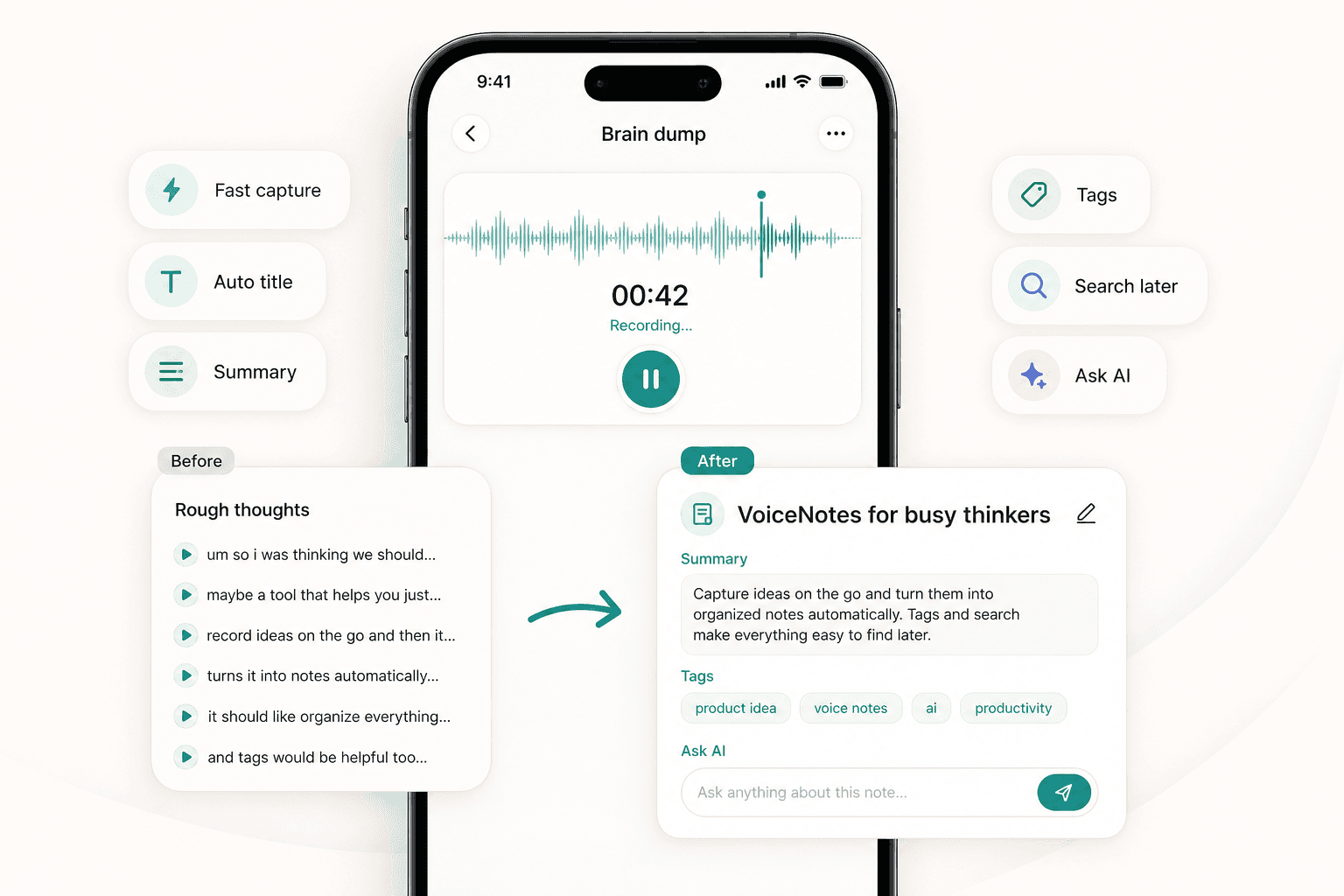
Open Scriptor, say what is on your mind, and let AI turn your brain dump into a titled, summarized, tagged, and searchable note. Capture thoughts first, clean them up later.
Built for ideas, reminders, messy thoughts, planning, and everyday note-taking.
The problem
Your thoughts are fast. Typing slows them down.
Thoughts do not usually arrive in a clean structure. They come quickly, out of order, and often disappear before there is time to write them down. Scriptor lets you speak freely first and organize later automatically.
Fast capture
Say it before you lose it
Scriptor is built for low-friction thought capture. Start recording, speak naturally, and unload ideas, reminders, planning notes, and unfinished thoughts without naming, tagging, or formatting anything first.
Messy thoughts to notes
From messy thoughts to a clear note
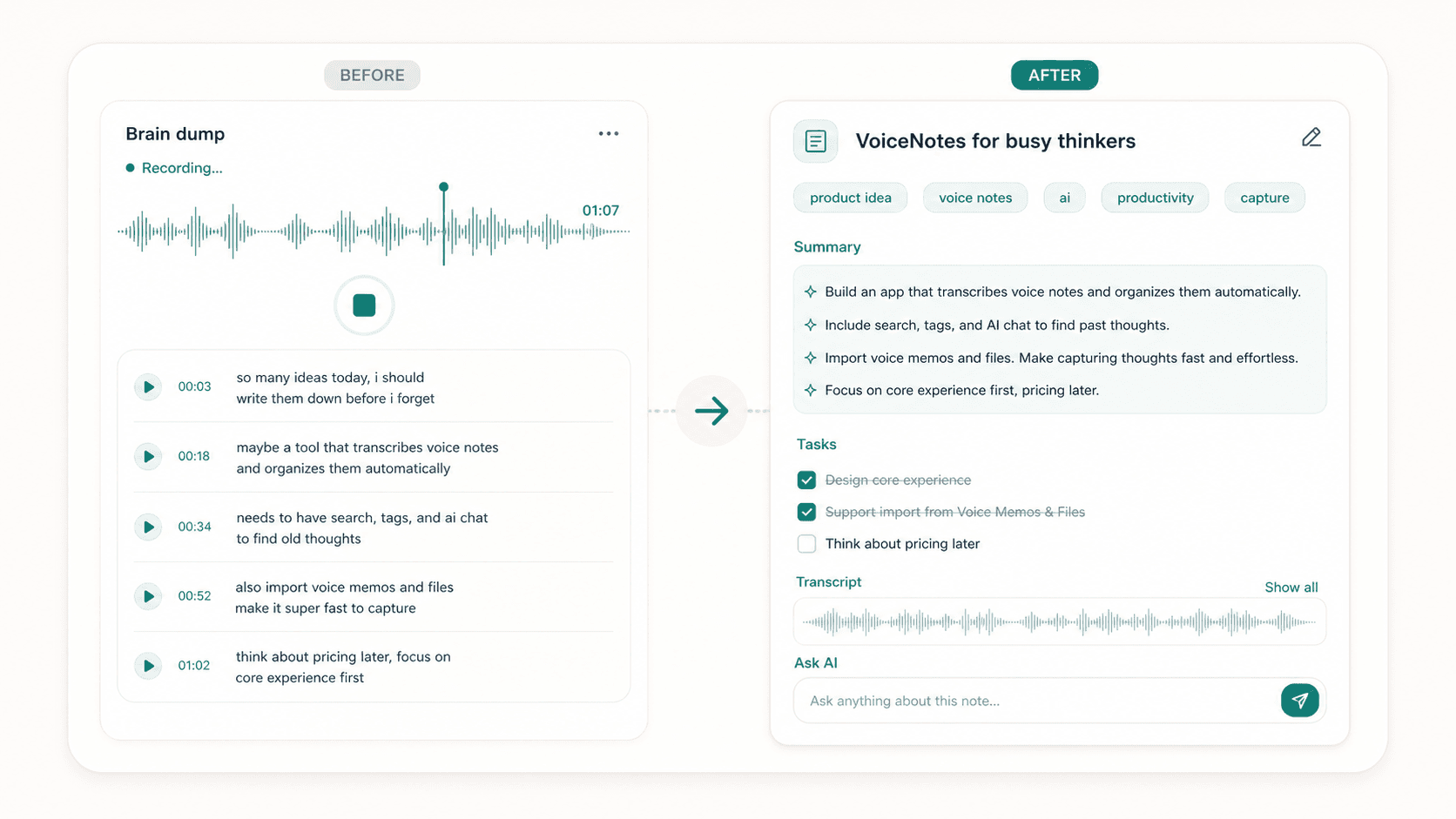
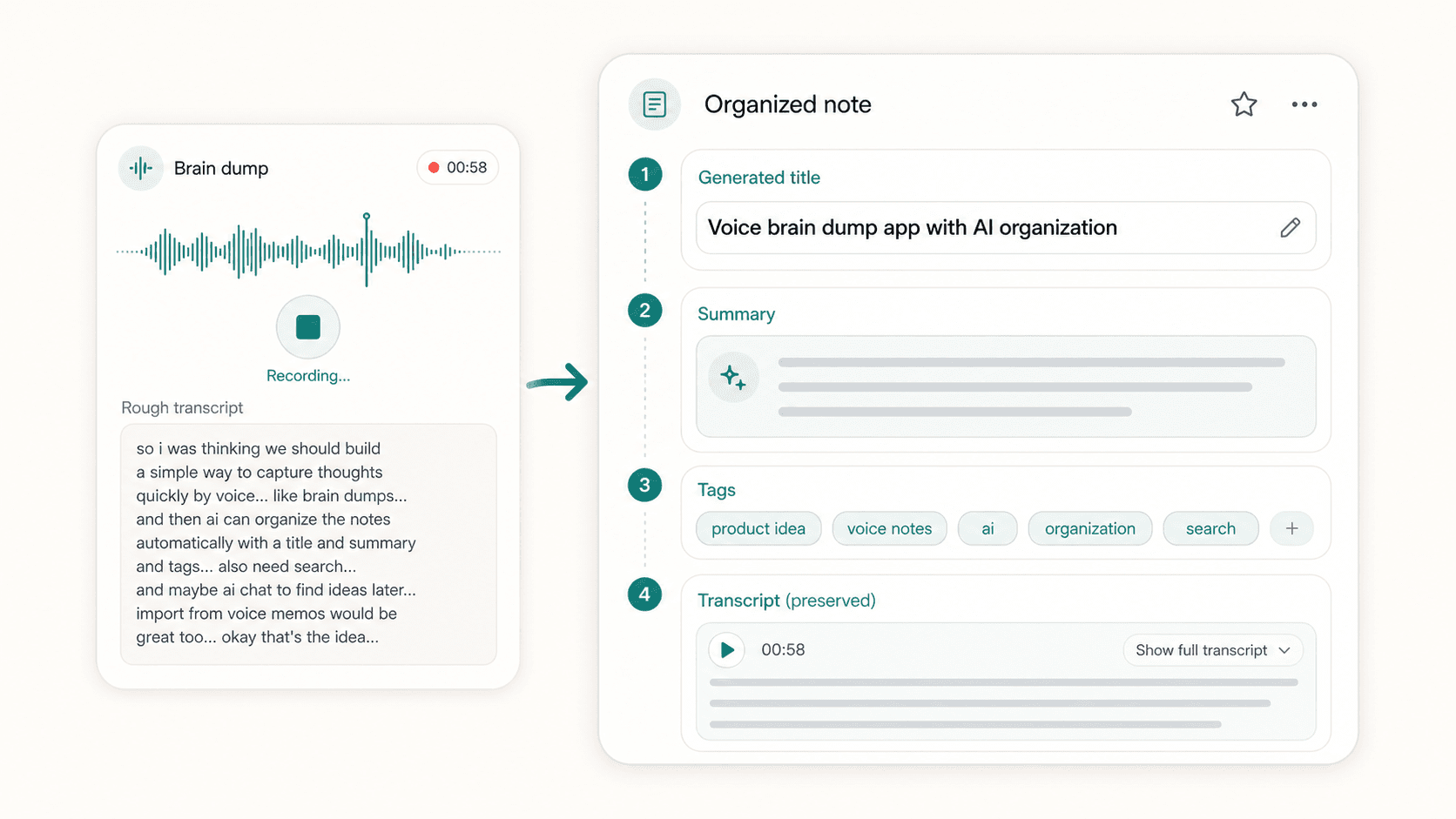
A spoken brain dump can become a structured note with a useful title, concise summary, helpful tags, and an editable AI note. The original transcript stays preserved as the source of truth.
Automatic organization
Organized before you sort it
Instead of manually naming, tagging, and cleaning every brain dump note, Scriptor creates a more useful structure right after transcription so the thought is easier to browse and use.
Search
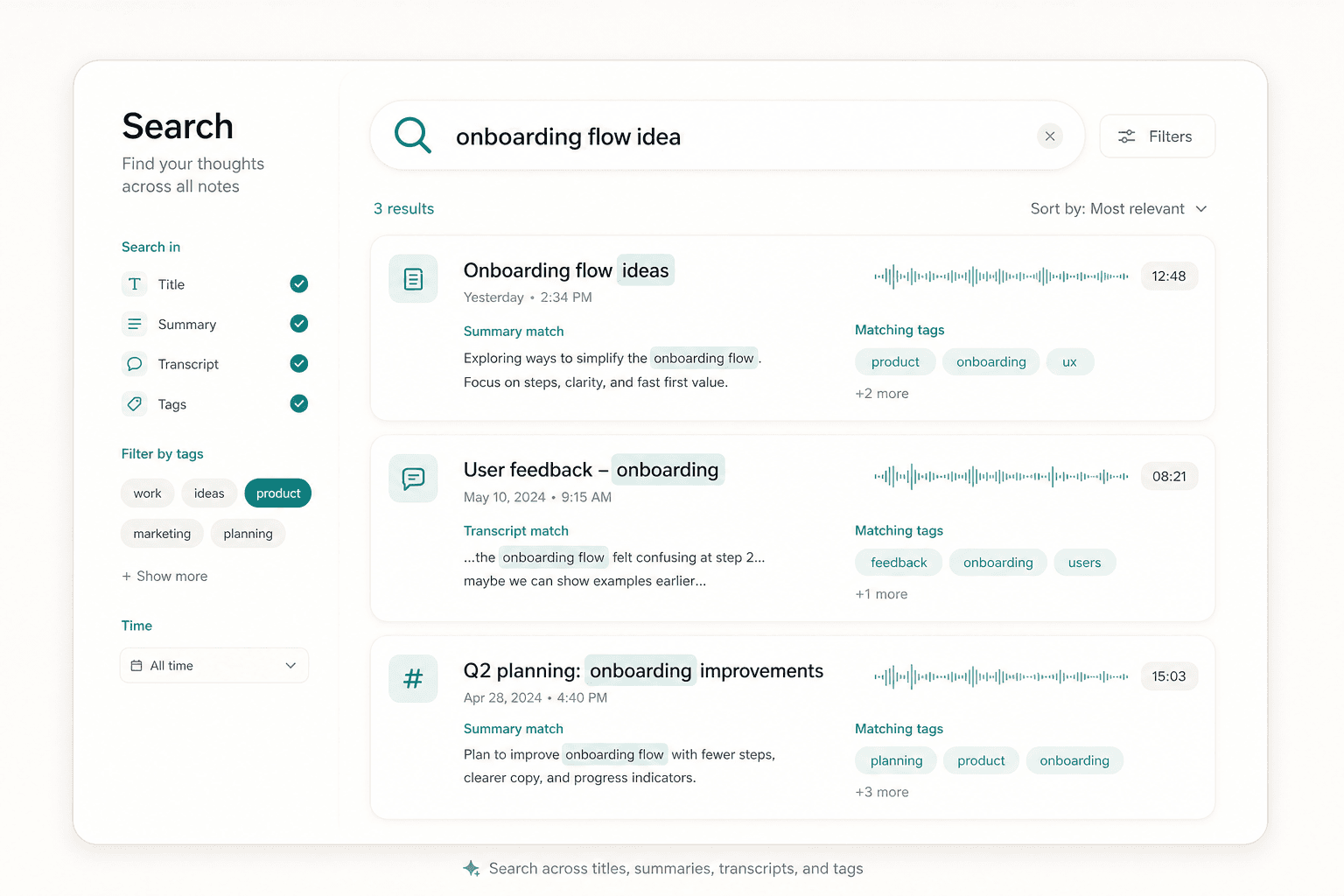
Find the thought later
A brain dump is only useful if you can find it again. Search by keyword, topic, title, transcript content, summary, or tag instead of scrolling through unnamed recordings.
AI chat
Ask AI to clean up or continue the thought
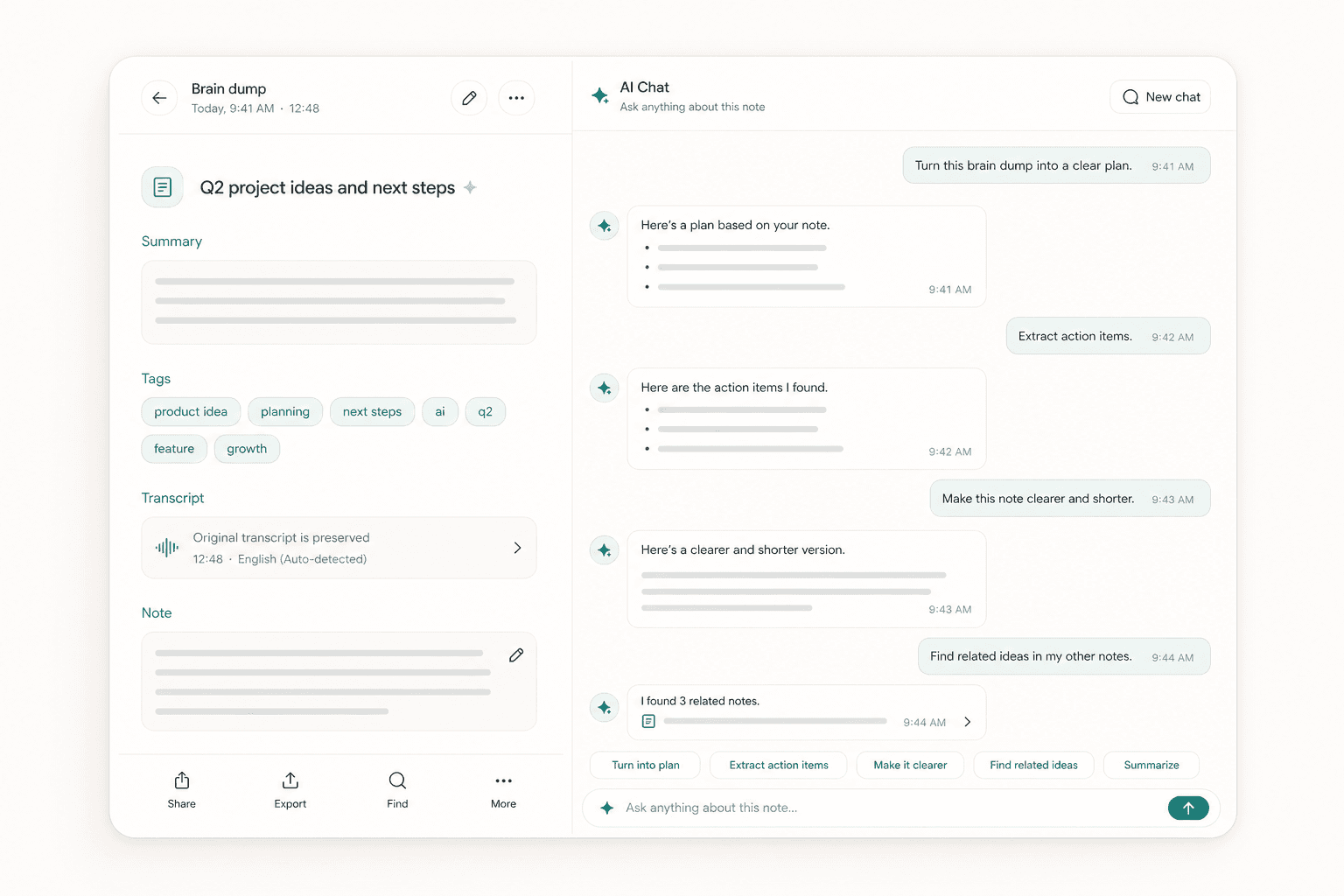
Use AI chat to work with a single brain dump or search across all notes. Ask for tasks, a plan, a clearer version, decisions, or related ideas from previous recordings.
Transcription
More useful than a raw recording
Scriptor turns spoken thoughts into readable text with audio to text transcription, so a brain dump becomes something you can scan, edit, search, summarize, and share.
Readable transcript
Turn spoken thoughts into text you can scan instead of replaying raw audio.
Editable AI note
Clean up the result, reshape it, and keep improving the note after capture.
Useful for reuse
Summarize, search, share, or turn a rough thought into a plan when you need it.
Import and export
Capture anywhere. Use it anywhere.
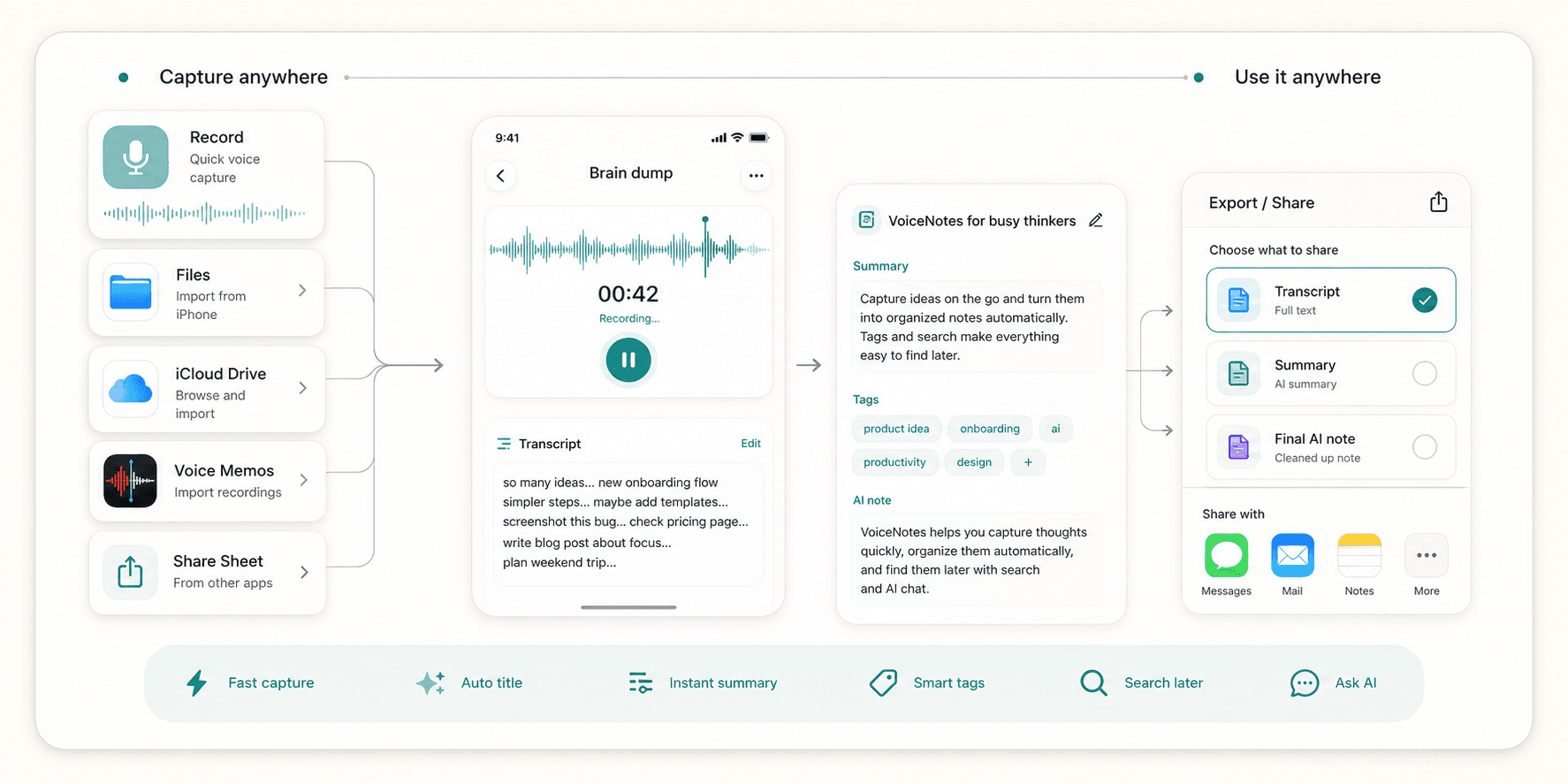
Record directly, import audio from Files, iCloud Drive, or local iPhone files, bring in Voice Memos, or send audio from other apps through the iOS Share Sheet. When you share, choose the transcript, summary, or final AI note.
Focus
Focused on thoughts, not workspace clutter
Scriptor is designed as a focused personal note-taking app: capture thoughts quickly, organize them automatically, and find them later without turning the process into a heavy workspace.
Coming soon on iOS
Start with your next brain dump
Say what is on your mind. Scriptor turns it into a clear, searchable note on iPhone.