Voice journal app for iPhone
Keep a voice journal without typing
Record daily thoughts as audio, turn reflections into readable notes, and revisit your journal with summaries, tags, search, and AI chat.
Built for daily thoughts, reflections, ideas, and personal note-taking.
The problem
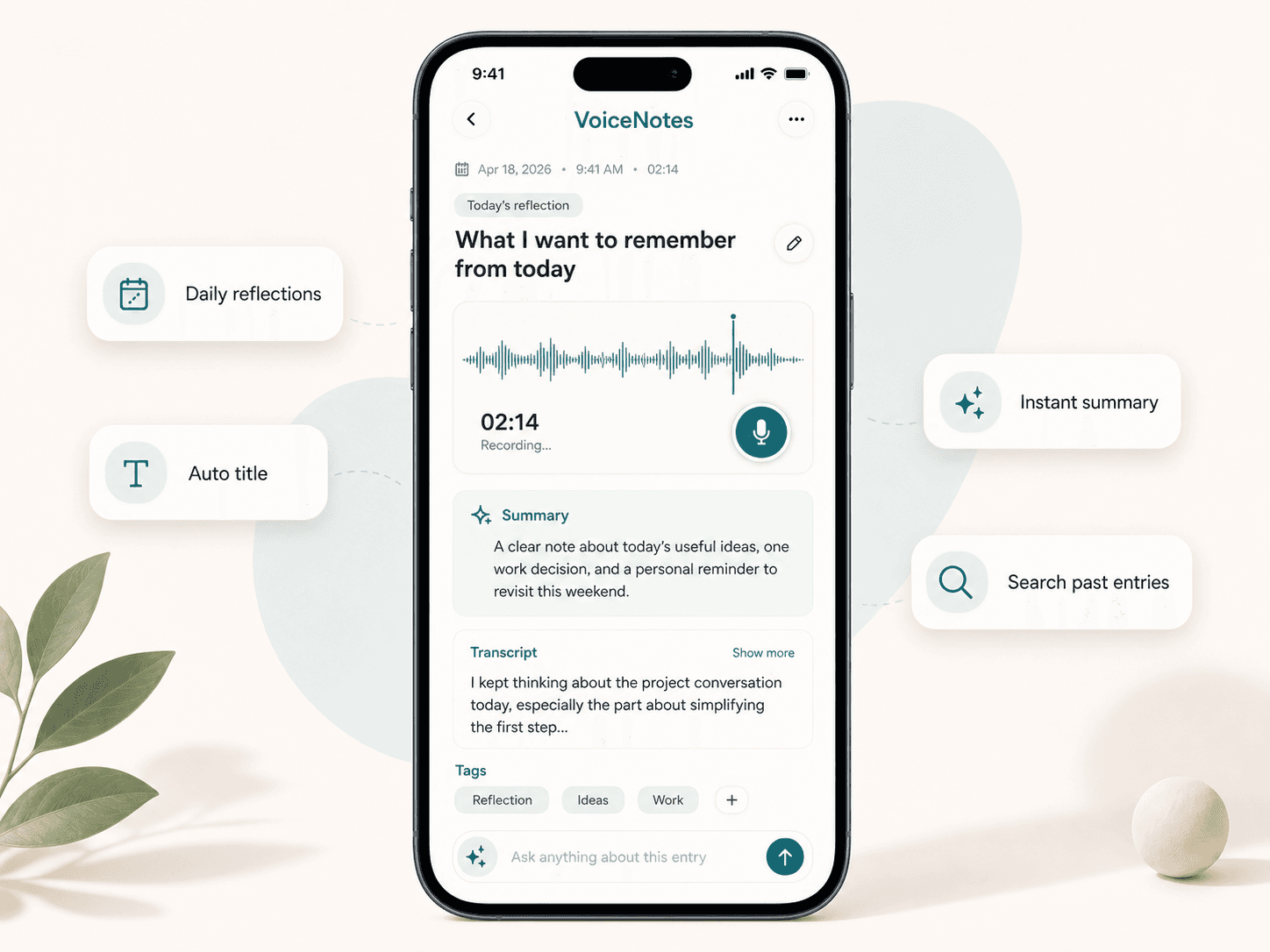
Journaling should be easier to start
A reflection journal is useful, but typing can feel slow, formal, or easy to skip. Spoken thoughts often feel more natural when you want to capture an honest note quickly and move on.
Daily voice journaling
Record the day in your own words
Scriptor makes it easy to keep a personal audio journal, voice diary, or daily reflection habit without sitting down to write. Speak naturally, capture first, and let the app turn each entry into text.
Spoken reflections to notes
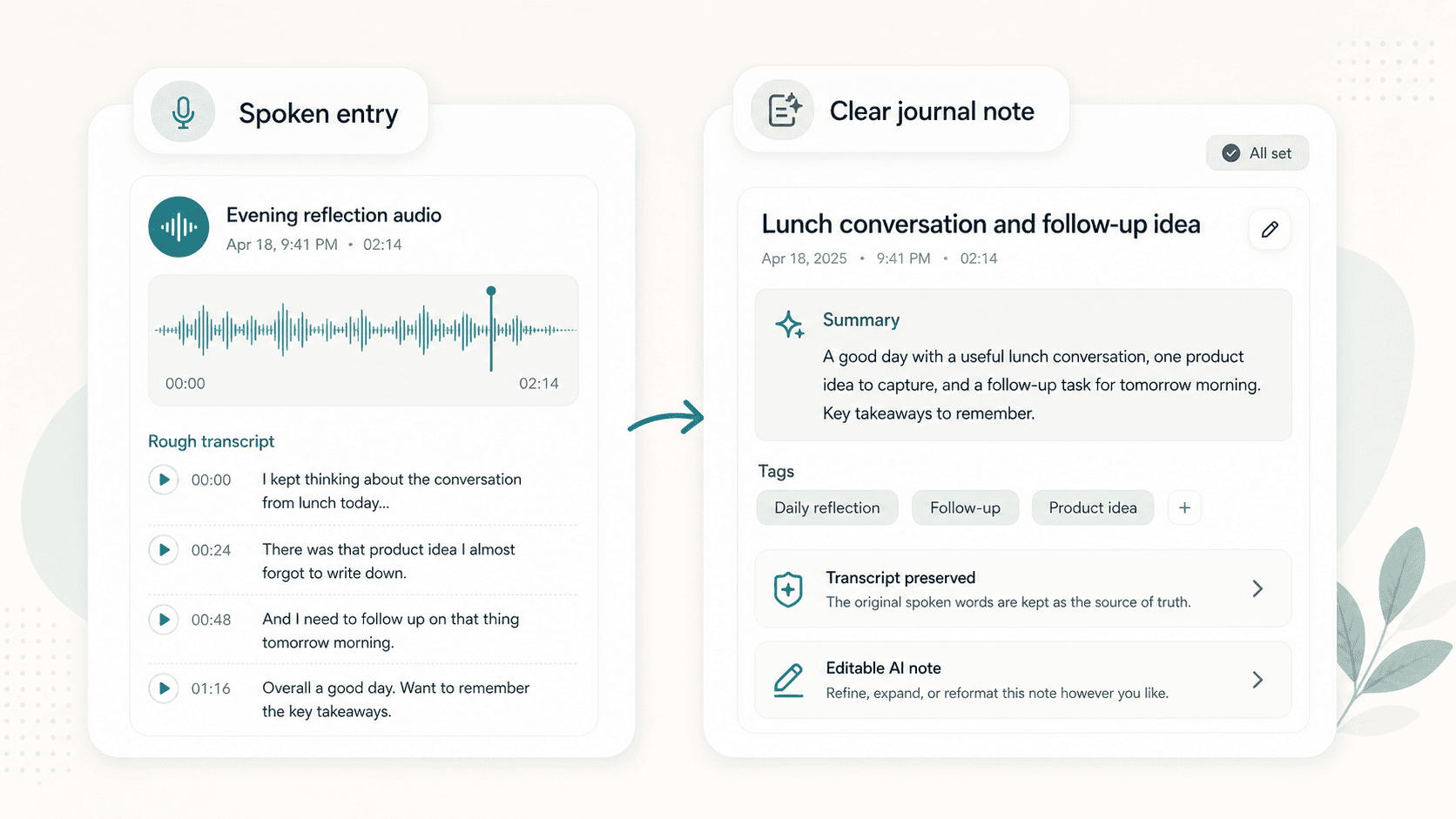
From spoken reflection to clear journal entry
Scriptor transcribes spoken journal entries and turns them into readable notes with a useful title, concise summary, and helpful tags. The original transcript stays available as the source, and the AI note can be edited or transformed later.
Automatic organization
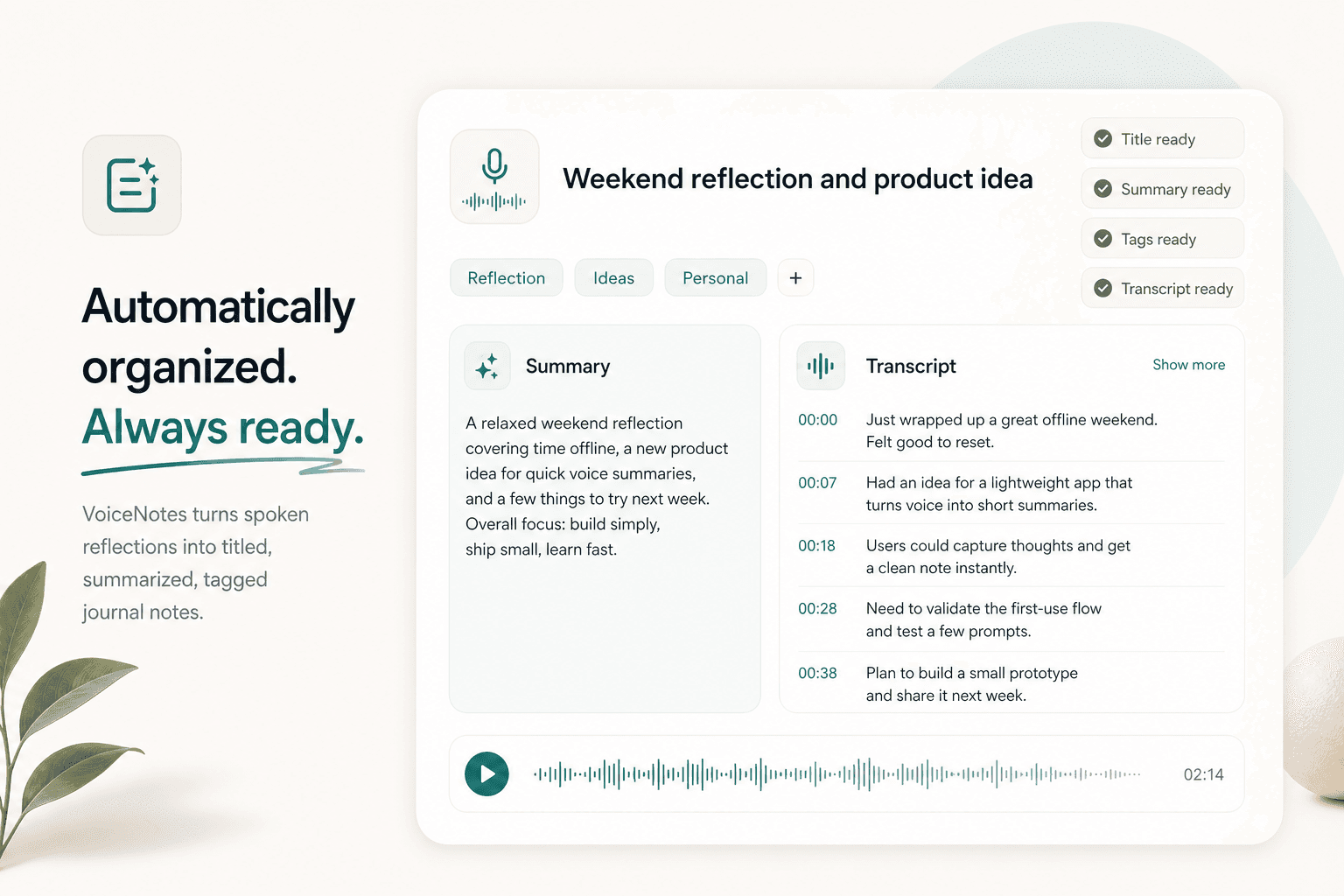
Your journal stays organized automatically
Instead of manually naming and sorting every entry, Scriptor can create titles, summaries, and tags based on what you said. That gives your searchable journal structure without cleanup before the entry becomes useful.
Search
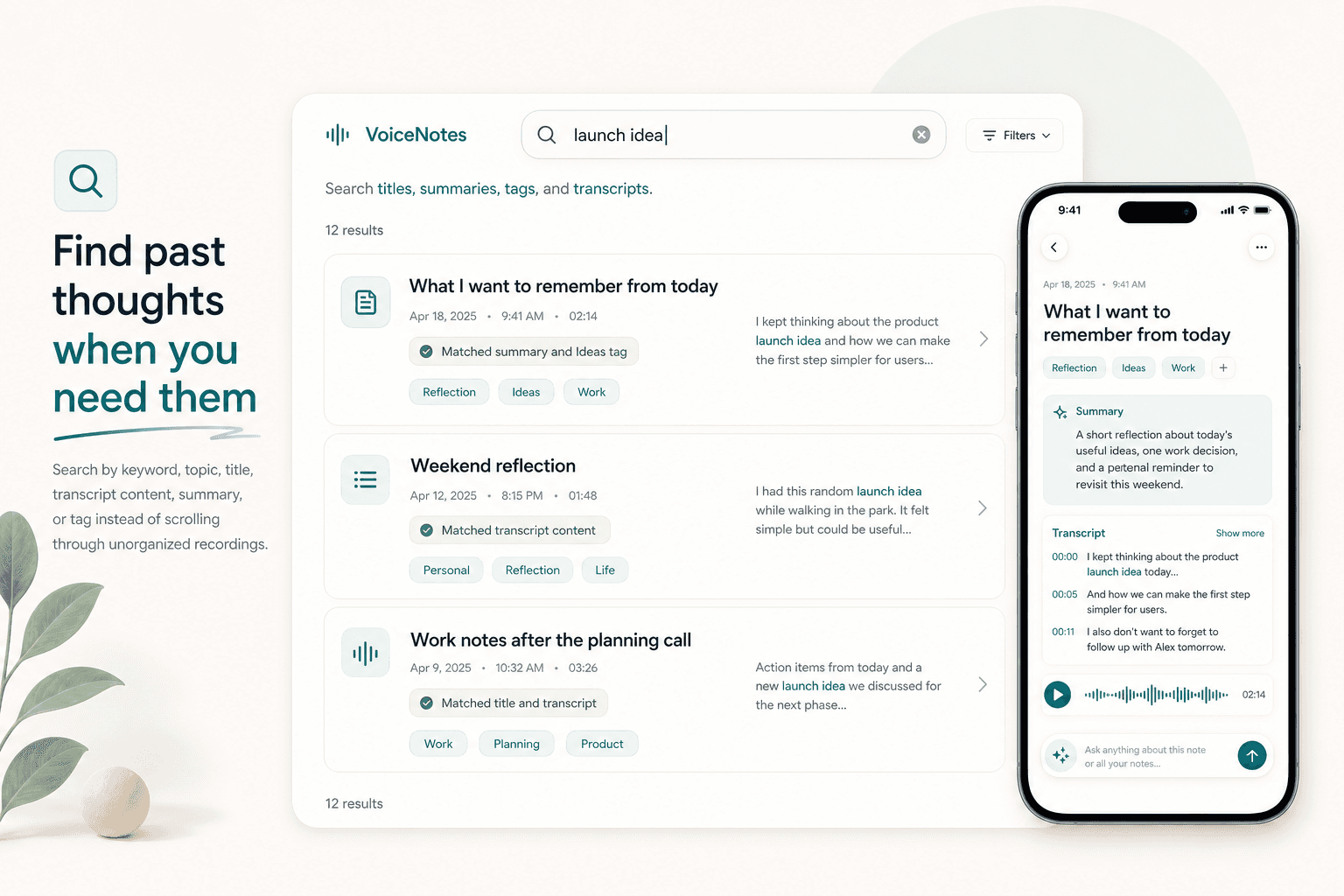
Find past thoughts when you need them
A voice journal becomes more useful when you can return to past entries. Search by keyword, topic, title, transcript content, summary, or tag instead of scrolling through unnamed recordings.
AI chat
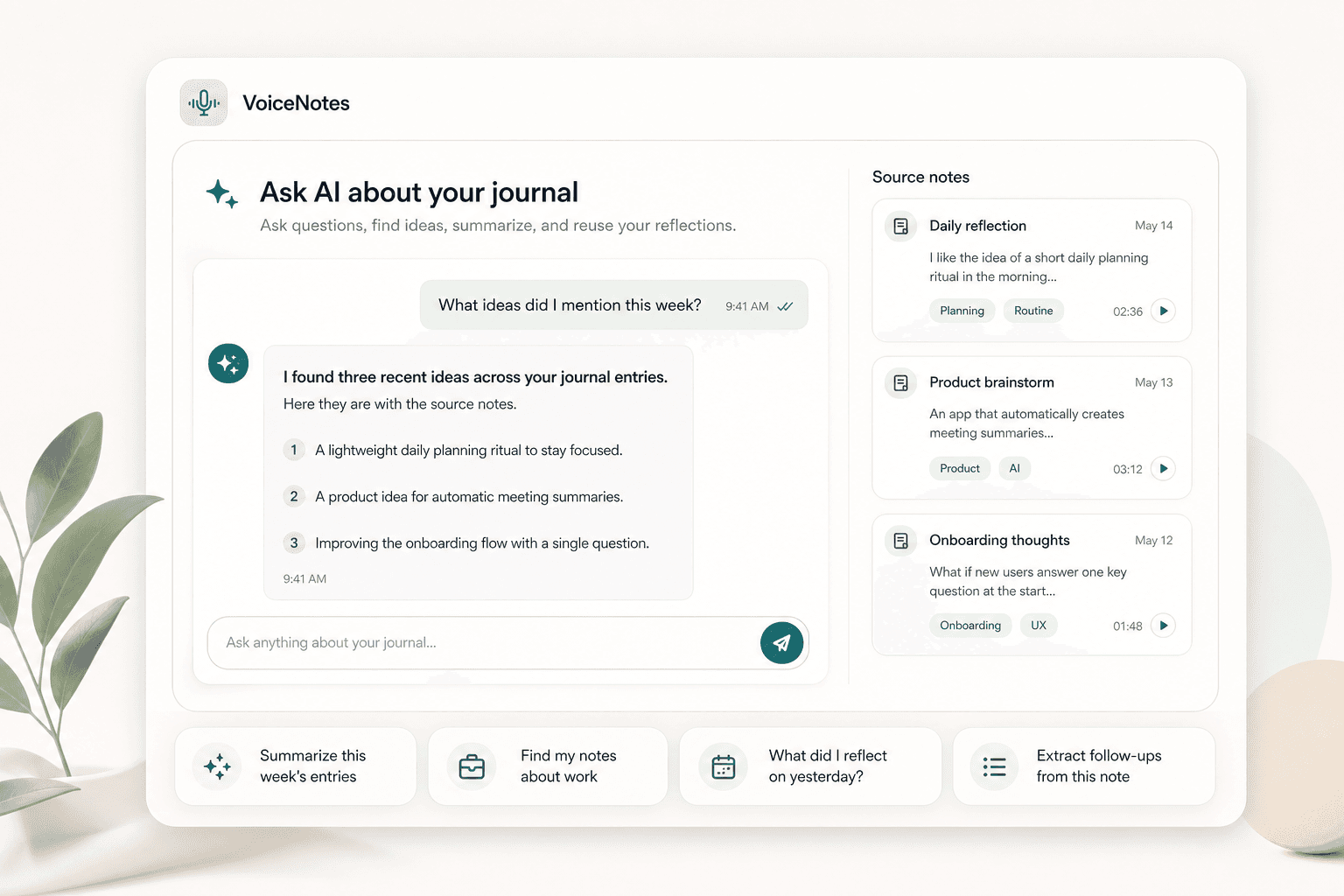
Ask AI about your journal
Use AI chat to ask questions about one entry or across your journal notes. Find previous ideas, summarize a week, extract follow-ups, or turn a rough reflection into a shorter note.
Audio to text
More useful than an audio diary
Scriptor turns voice journal entries into readable text, so they are easier to scan, search, summarize, edit, and share. It keeps the low-friction feel of an audio journal app while making each entry more usable later.
Readable transcript
Turn a spoken journal entry into text you can scan, quote, and search.
Automatic summary
Review the main points from a daily voice journal entry without replaying the full audio.
Editable AI note
Shape the reflection into a cleaner note while keeping the original transcript available.
Import and export
Record new entries or bring in old ones
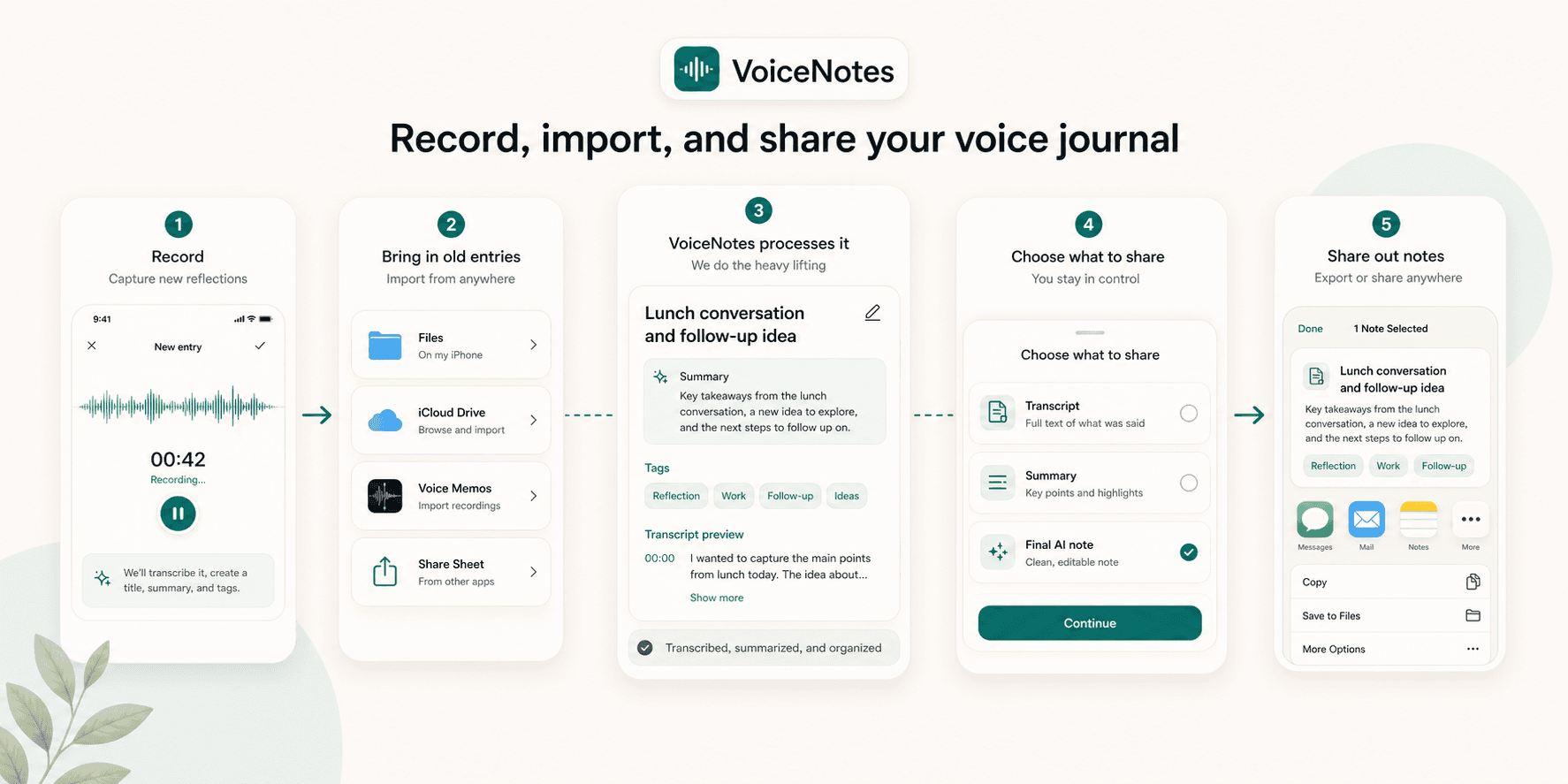
Record directly in Scriptor, import audio from Files, iCloud Drive, or local iPhone files, bring in existing Voice Memos, or import from other apps through the iOS Share Sheet. When sharing, choose the transcript, summary, or final AI note.
Focus
Personal notes, without workspace clutter
Scriptor is designed as a focused personal note-taking app: record thoughts, organize them automatically, and find them later. It is for personal reflections and ideas, not social posting or a heavy team workspace.
Coming soon on iOS
Start with today's voice journal
Record a daily thought or reflection. Scriptor turns it into a clear, searchable journal note on iPhone.