Walking
Step away from the desk and capture the idea before it fades.
Voice idea capture for iPhone
Record thoughts the moment they appear. Scriptor helps you turn quick voice ideas into clear, searchable notes you can revisit, refine, and build on later.
Built for ideas on walks, after meetings, during work, and whenever typing is too slow.
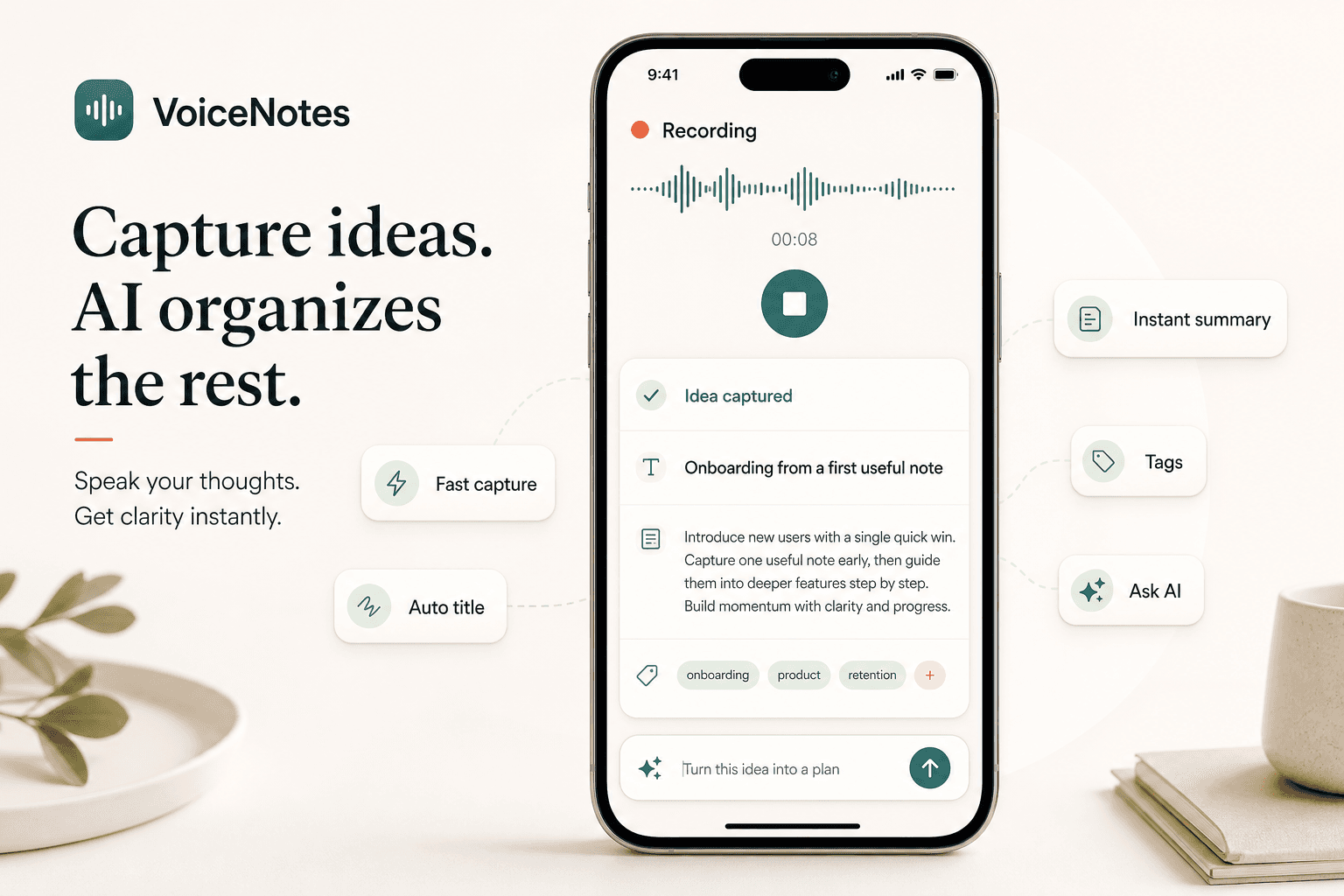
The problem
Good ideas often appear at inconvenient moments: walking, commuting, exercising, between tasks, after conversations, or away from the desk. Typing adds friction, and a useful thought can disappear quickly. Scriptor lets you capture the idea first by voice and organize it automatically.
Fast idea capture
Scriptor is built for low-friction idea capture. Record the thought as soon as it appears without stopping to format, tag, or write a perfect note.
Ideas on the go
Some of the best ideas appear while walking, moving between tasks, exercising, commuting, or after a conversation. Scriptor helps you record ideas by voice and turn them into notes you can revisit later.
Step away from the desk and capture the idea before it fades.
Save a thought quickly without opening a full writing workflow.
Record follow-ups, decisions, and product thoughts while they are still fresh.
Use voice when typing is not practical and the thought needs to be saved.
Only record when it is safe to do so.
Spoken ideas to structured notes
Scriptor can transcribe a spoken idea and turn it into a structured note with a useful title, concise summary, helpful tags, action items, and an editable AI note. The original transcript stays preserved as the source of truth.
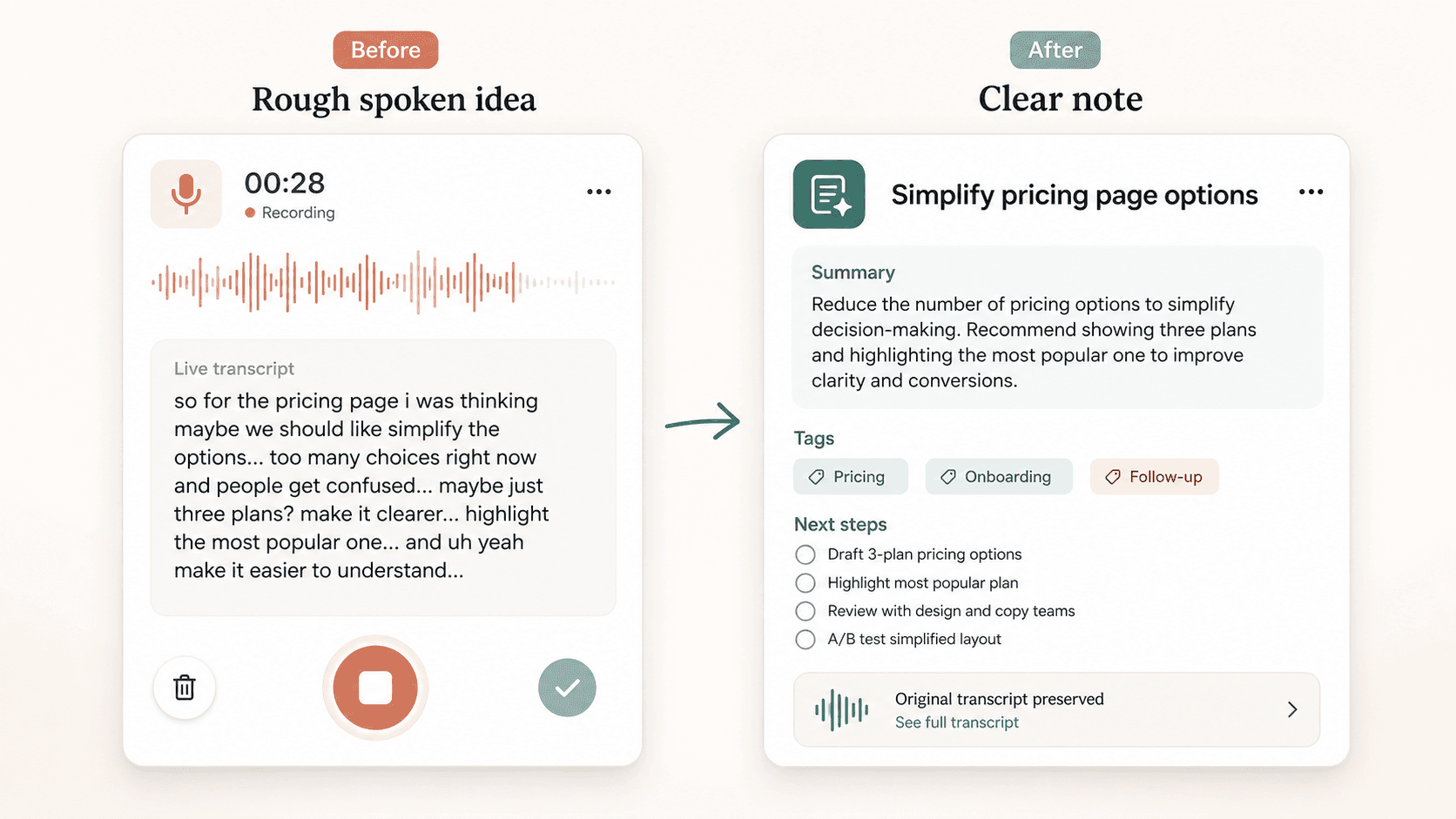
Automatic organization
Instead of manually naming, tagging, and cleaning up every idea, Scriptor creates a useful note structure right after transcription. Your quick idea capture becomes easier to browse, search, and use without manual cleanup first.

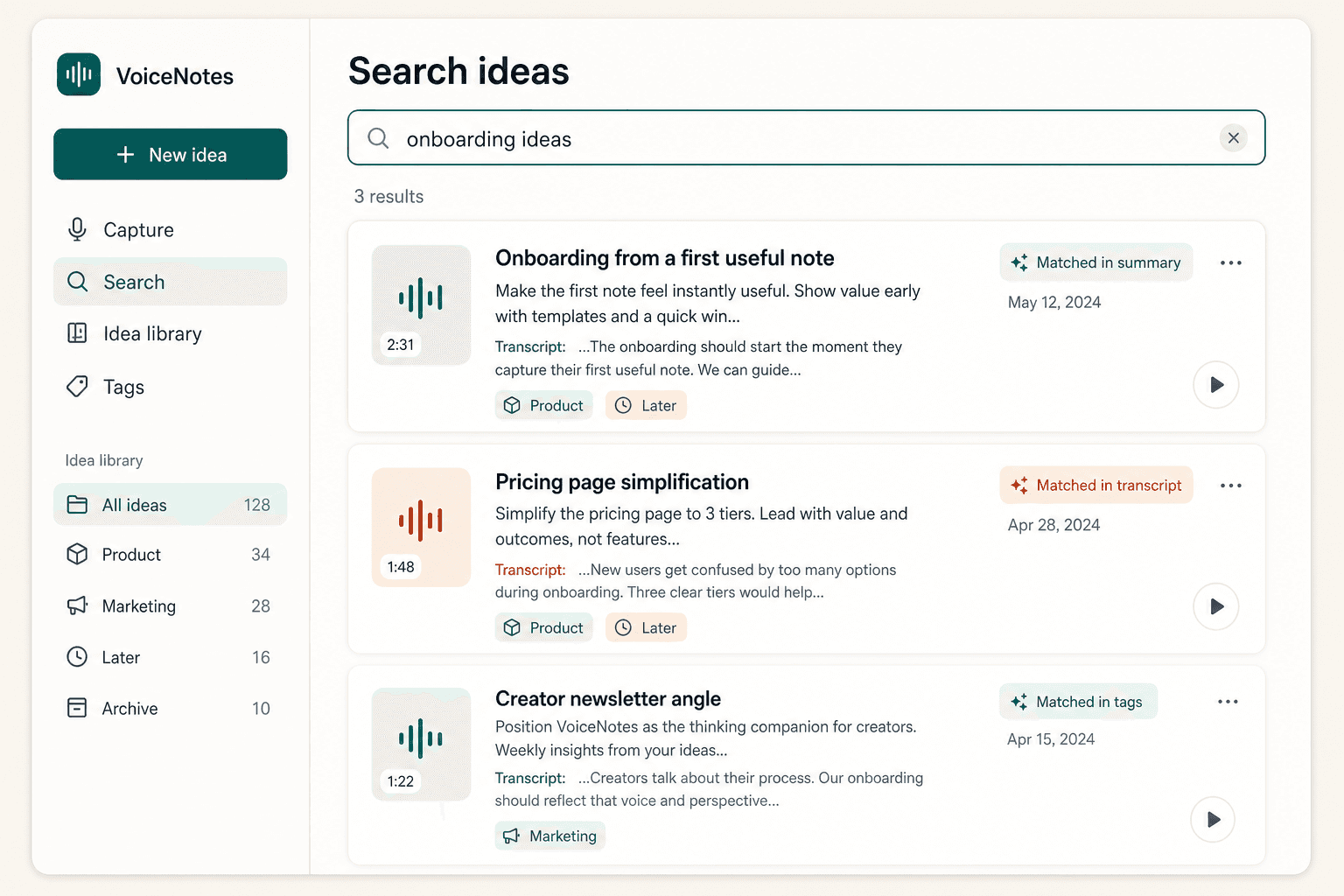
Search
Captured ideas become more useful when you can find them later. Over time, your voice notes for ideas become a lightweight, searchable idea library you can return to and build on.
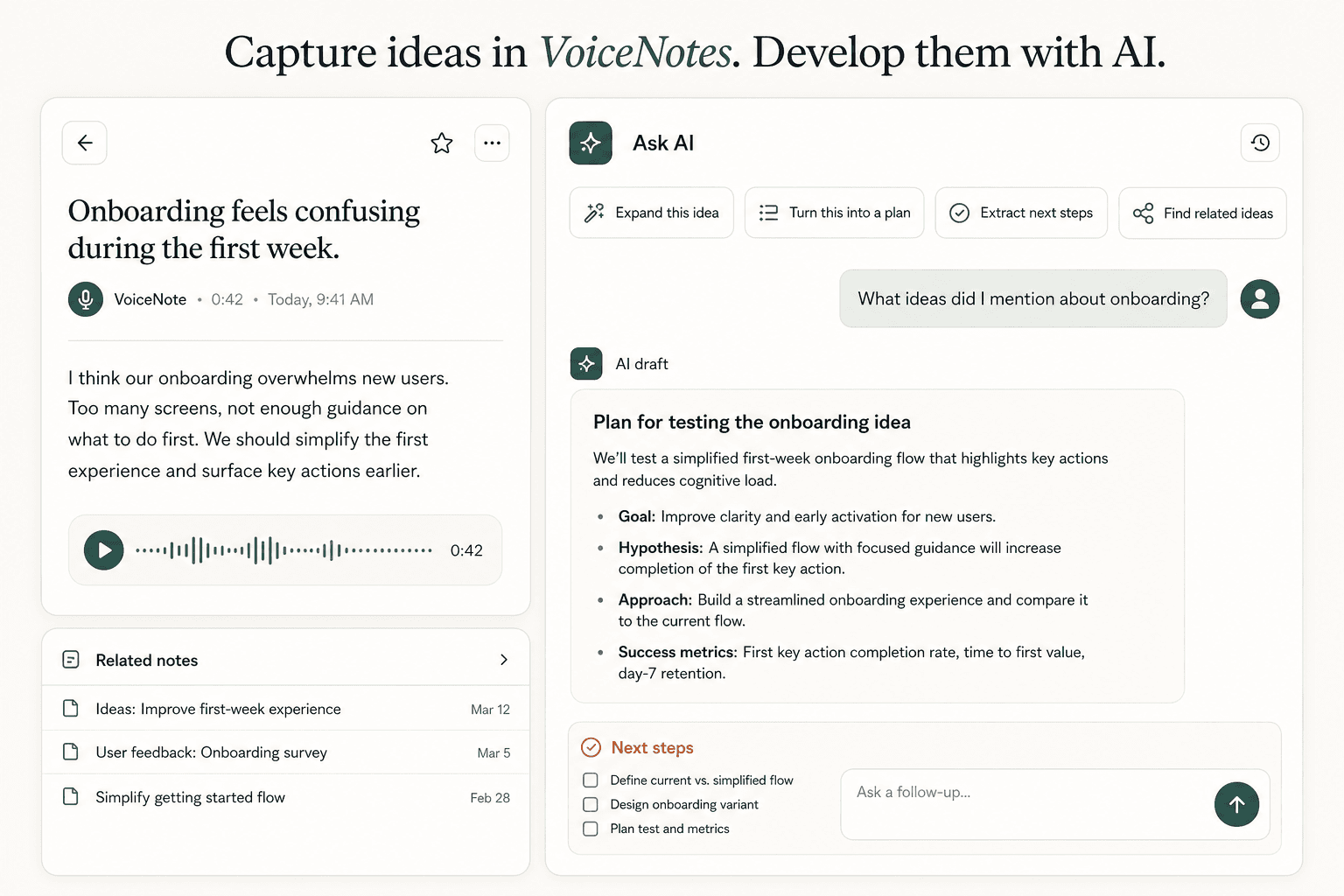
AI chat
Use AI chat to work with a single idea or search across all notes. Ask AI to expand a rough thought, turn it into a plan, extract next steps, rewrite it, or find related ideas from previous notes.
Transcription
Scriptor turns spoken ideas into readable text, so an idea recording becomes something you can scan, edit, search, summarize, and share.
Turn spoken ideas into audio to text you can scan instead of replaying a raw recording.
Understand the main point quickly, even when the original capture was rough.
Refine the captured thought, reshape it, and reuse it when you are ready.
Import and export
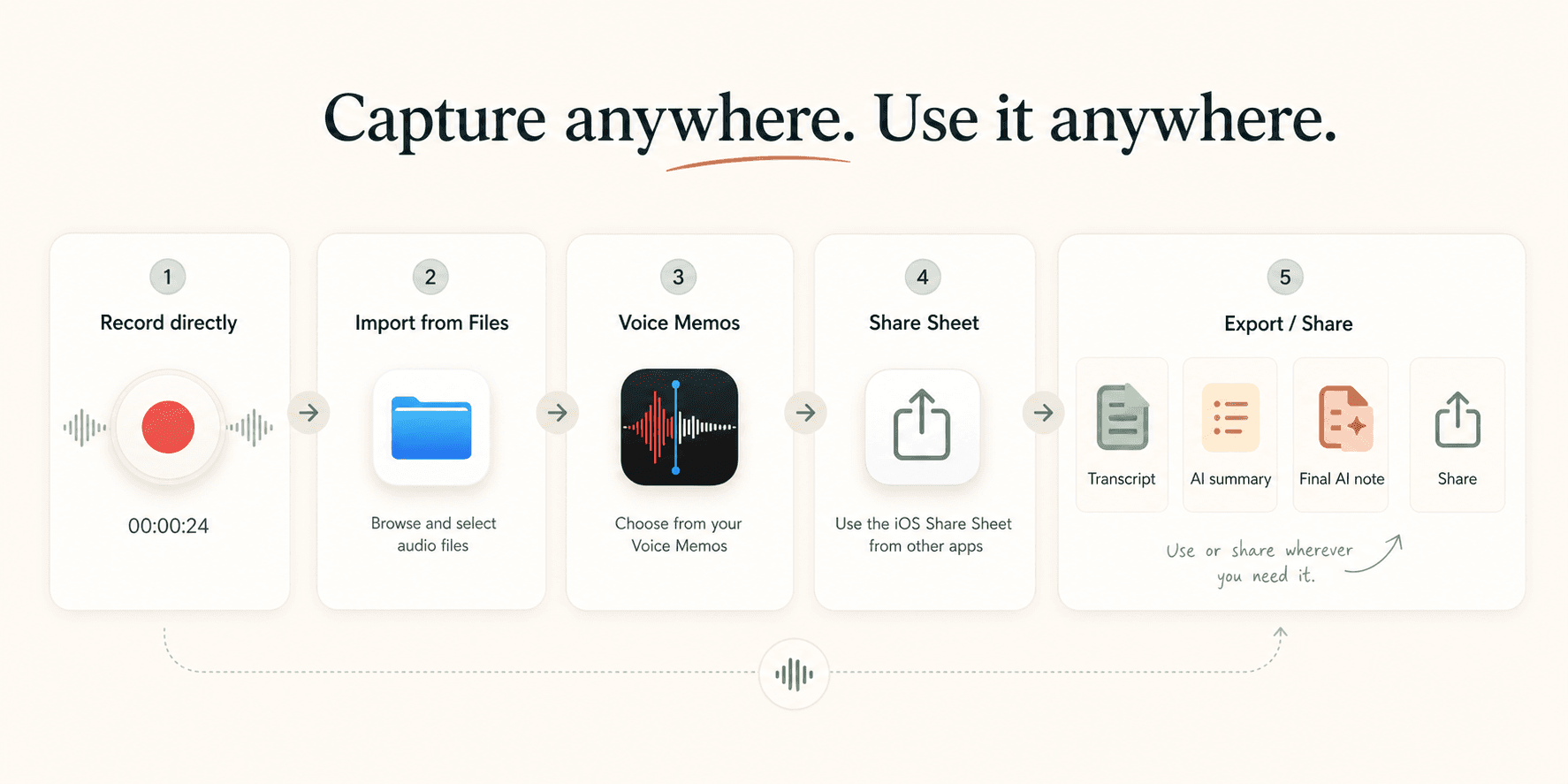
Record directly, import audio from Files, iCloud Drive, or local iPhone files, bring in Voice Memos, or send audio from other apps through the iOS Share Sheet. When you share, choose the transcript, summary, or final AI note.
Focus
Scriptor is designed as a focused personal note-taking app: capture ideas quickly, organize them automatically, and find them later without turning the process into a heavy workspace.
Coming soon on iOS
Say the thought before it disappears. Scriptor turns it into a clear, searchable note on iPhone.